Build Incident Response Plans That Stay Drill-Ready
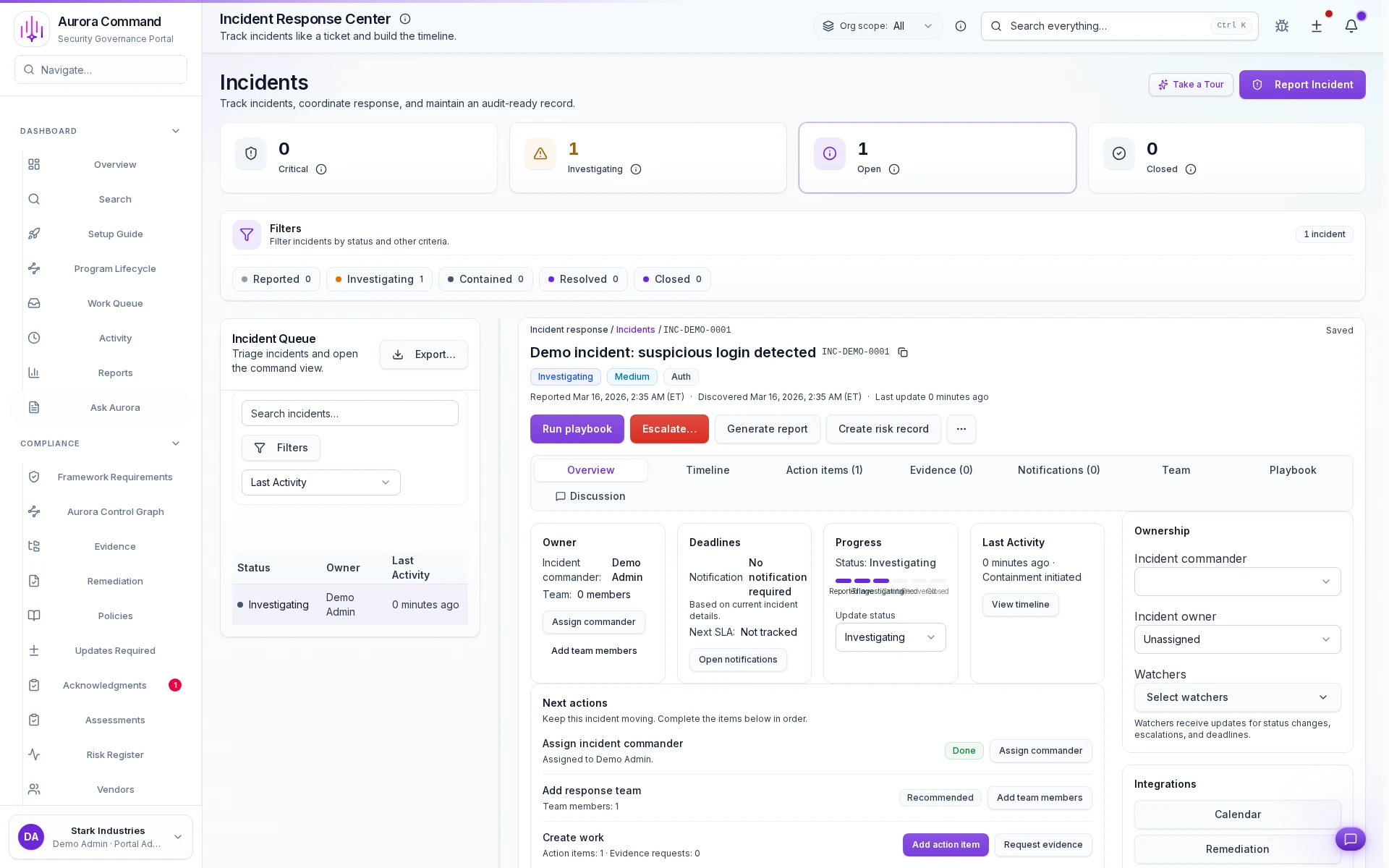
See how incidents are triaged by severity, tracked on a timeline, and escalated with full context.
What you'll see
See the exact workflow, the proof that stays attached, and the control points that keep reviews from turning back into document chasing.
What you can verify in this walkthrough
You are seeing the live workflow, the attached proof trail, and the control points that matter once reviewers ask follow-up questions.
Severity triage is structured
Incidents receive severity classification at intake so escalation paths and response expectations are clear from the start.
Timeline capture is automatic
Every action, status change, and communication is logged chronologically without manual note-taking.
Escalation context stays intact
When incidents escalate, the full context travels with them so new responders start from facts, not summaries.
Why this workflow matters
Incident response without a timeline is indefensible. When every action, escalation, and update is captured chronologically, post-incident reviews start from facts.
Tell us about one incident type
In the live walkthrough, we show severity triage, timeline capture, and how escalations maintain context.
Incident Timelines That Hold Up, Not Fall Apart
Severity queue with defensible timelines, response playbooks, and SLA countdown accountability.
Where This Fits
See how this walkthrough connects to broader workflows
- Plan incident response procedures
- Rehearse with tabletop exercises
- Coordinate crisis response
Continue Your Journey
Pick up where this walkthrough leaves off, or explore a related proof flow.

Response Playbook Library
See how response playbooks are versioned, assigned to incident types, and kept drill-ready before an event.

Readiness Exercises
See how exercises produce scored outcomes and repeatable readiness records for auditors and insurers.

Emergency Communication
See how emergency messages are launched, tracked, and escalated until every acknowledgement is in.
