See Which Controls Are Monitored and Where Drift Is Building
See framework posture, gap analysis, and automation coverage to track whether compliance is improving or drifting.
What you'll see
See the exact workflow, the proof that stays attached, and the control points that keep reviews from turning back into document chasing.
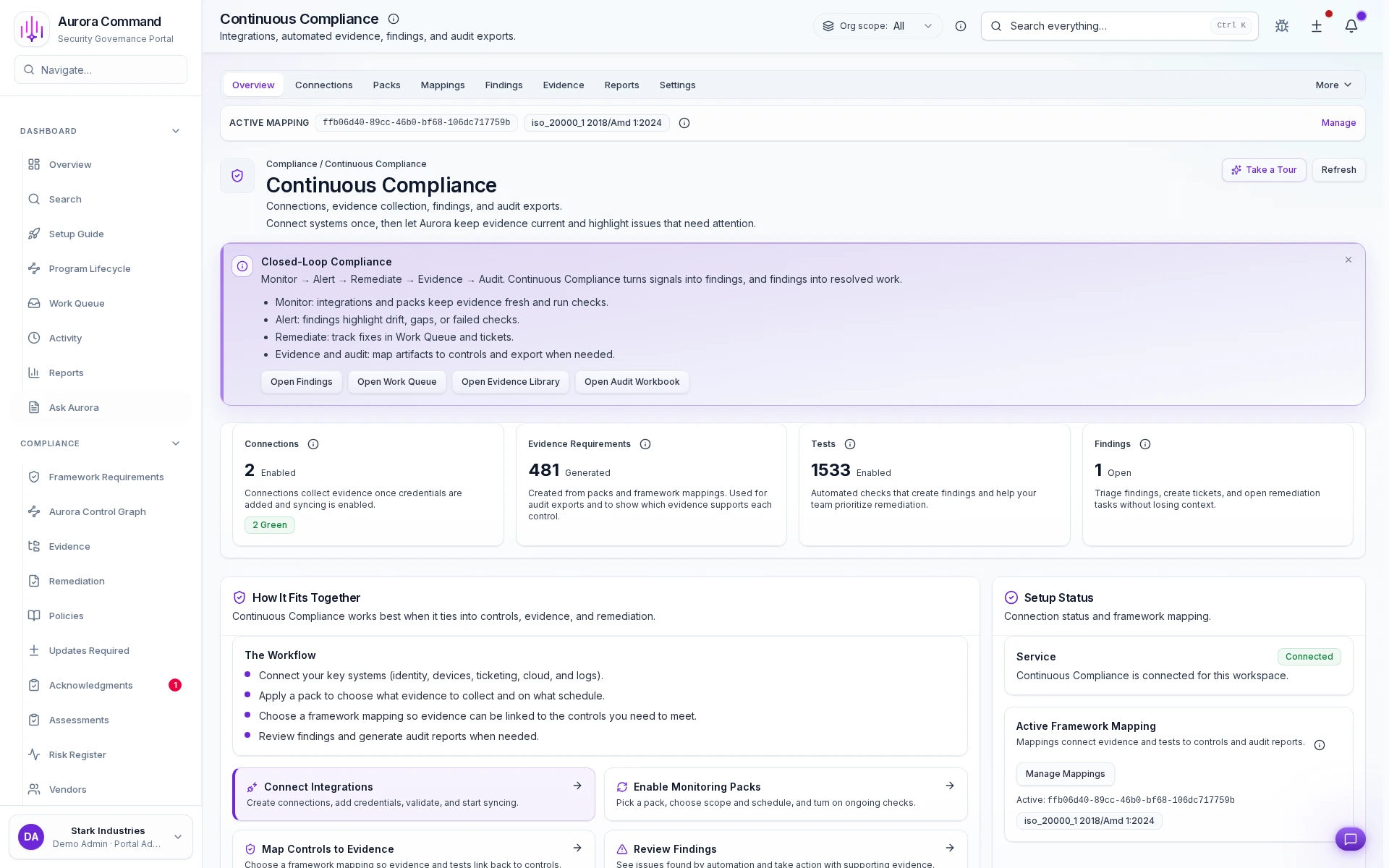
Every Framework Scoped in One Dashboard
What you can verify in this walkthrough
You are seeing the live workflow, the attached proof trail, and the control points that matter once reviewers ask follow-up questions.
Automated checks run continuously
Integration-driven checks evaluate control state on a schedule so drift is detected before reviewers arrive.
Manual checks have clear lanes
Controls that require human judgment get separate ownership, cadence, and evidence attachment workflows.
Findings route to closure
Failures create findings with owners and deadlines. Nothing stays unresolved without a visible accountable party.
Why this workflow matters
This workflow keeps the proof, ownership, and status context attached to the work itself, so teams do not rebuild evidence packages from scratch for each review cycle.
Tell us about the review, renewal, or framework rollout in front of you
In the live walkthrough, we map the workflow to your environment, show what stays current between review cycles, and open the governed handoff Aurora produces.
What Most Teams Open Next
Most teams follow this walkthrough with the next proof flow they need to tighten, whether that is evidence collection, reviewer sharing, or readiness follow-through.
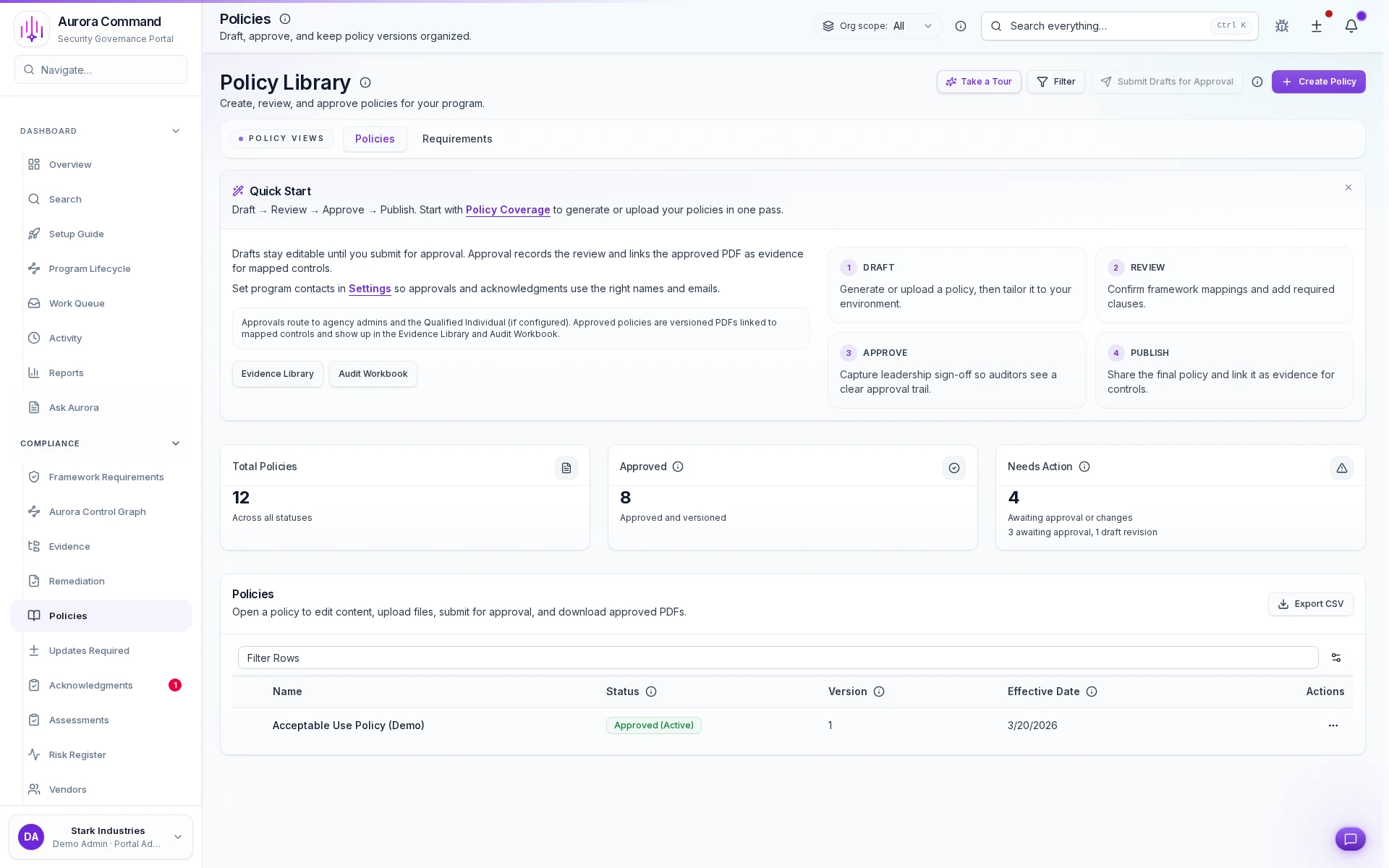
Policy Governance
Track policy ownership, approvals, and version history in one governed record.
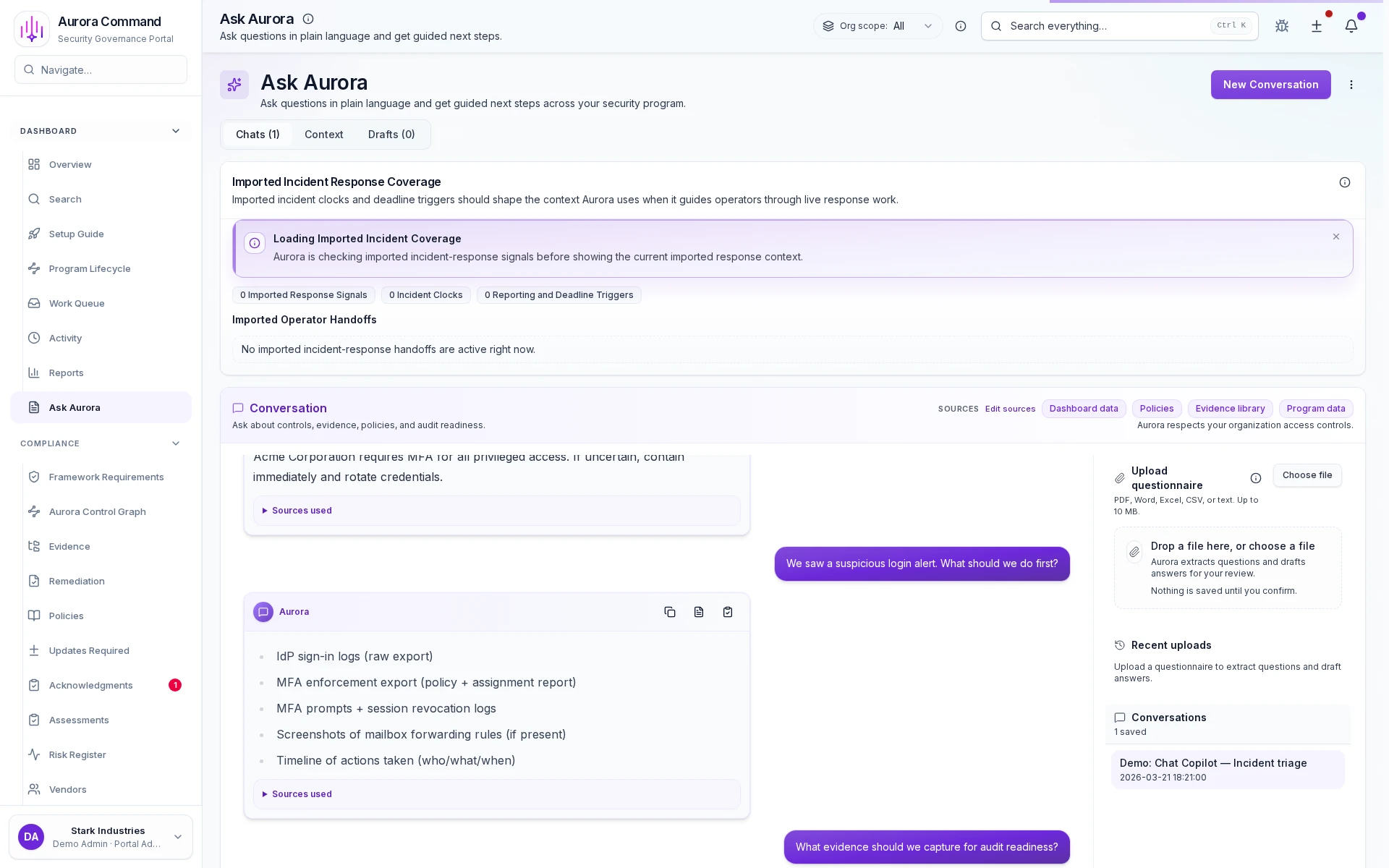
Aurora Copilot
See how Aurora drafts cited answers from your approved content and keeps every response reviewable.
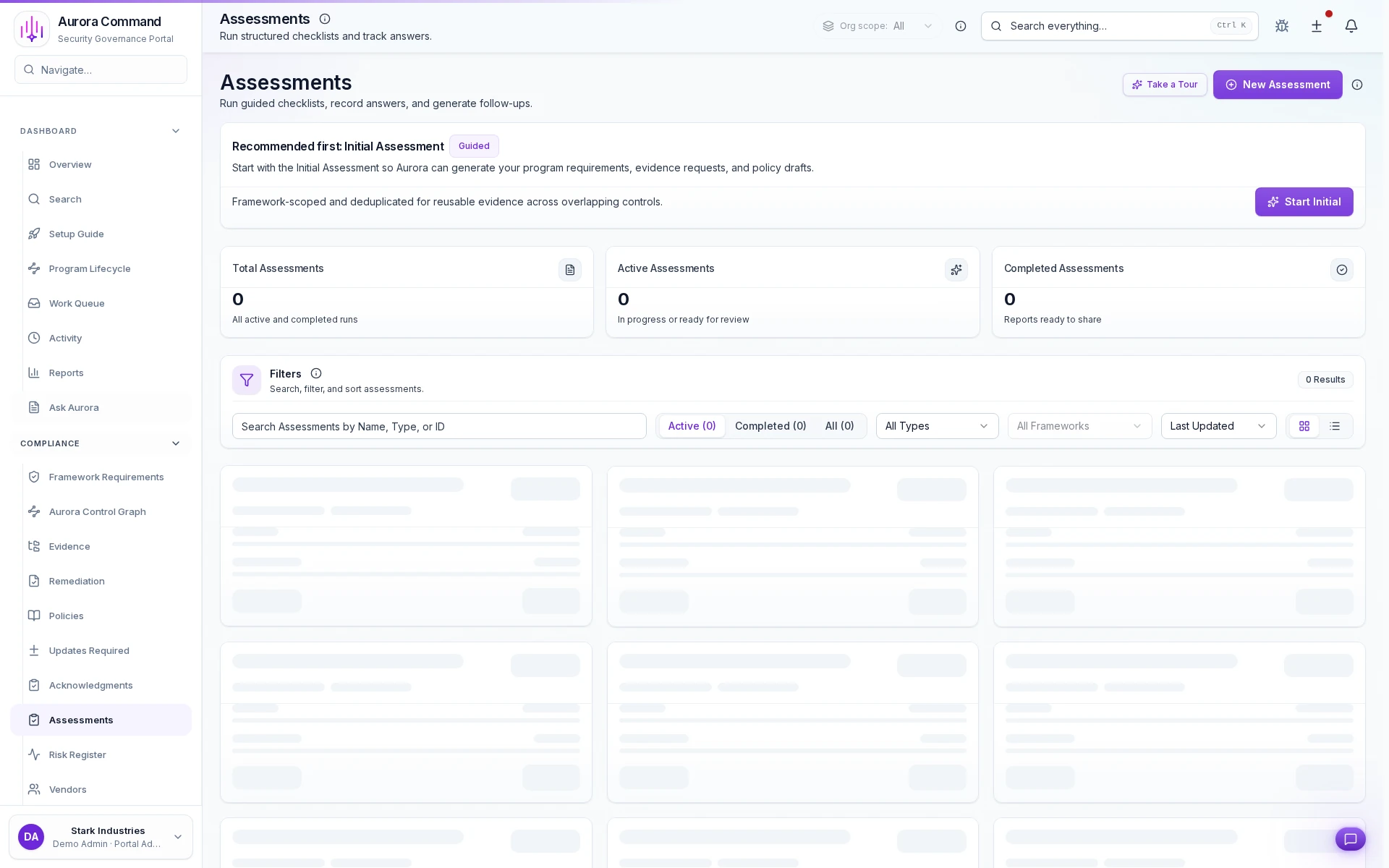
Assessment Management
See how Aurora routes questionnaires, reuses approved answers, and tracks every follow-up to completion.