Skip to content
Interactive walkthrough

Draft Cited Questionnaire Responses With Review Control

See how Aurora drafts cited answers from your approved content and keeps every response reviewable.

5 steps · ~1 minGuided walkthrough

What you'll see

See the exact workflow, the proof that stays attached, and the control points that keep reviews from turning back into document chasing.

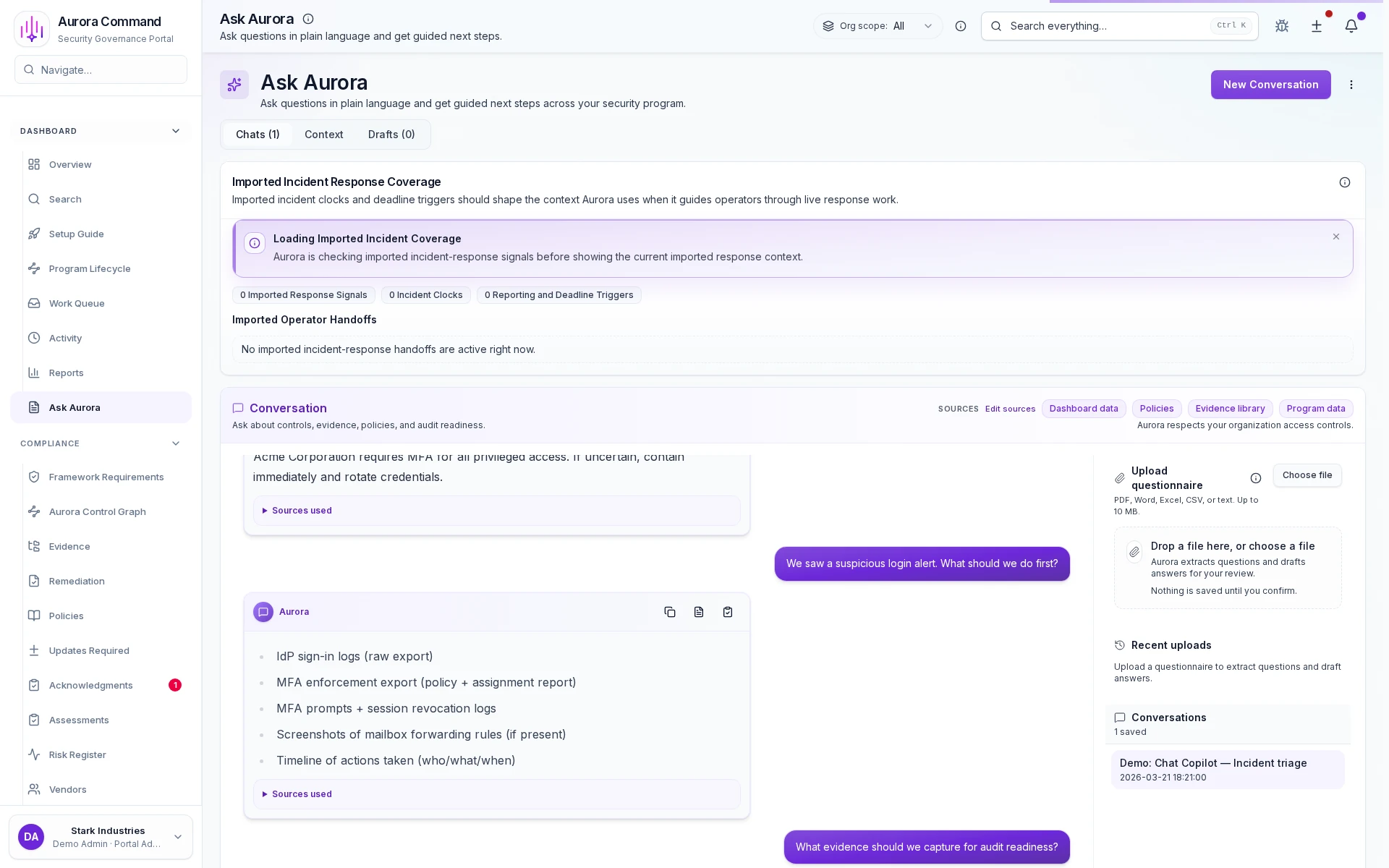
Aurora Copilot drafting a cited answer to a reviewer questionnaire inside Aurora Command

Start from the reviewer's question

1 of 5

What you can verify in this walkthrough

You are seeing the live workflow, the attached proof trail, and the control points that matter once reviewers ask follow-up questions.

Source-grounded drafting

Every answer is drafted from approved policies, evidence, and prior reviewed language. No unsupported claims ship.

Inline citation support

Reviewers can verify each statement without follow-up. Citations link directly to the source evidence.

Reusable approved language

Reviewed drafts enter the answer library. The next questionnaire starts from trusted, cited language.

Why this workflow matters

Questionnaire response quality depends on source grounding. When drafts link to approved evidence and prior answers, reviewer follow-up stays manageable instead of multiplying.

Tell us about one questionnaire question

In the live walkthrough, we draft from your approved sources, show citation support, and demonstrate how reviewed language carries forward.

Source-grounded draftingCitation verificationAnswer library reuse

Draft Cited Responses With Review Control

Cited drafts built from approved workspace sources: reviewed, reusable, and ready to share.

Where This Fits

See how this walkthrough connects to broader workflows

Buyer Trust
  1. Answer trust questions instantly
  2. Validate compliance posture
  3. Share proactive trust artifacts