Skip to content
Interactive walkthrough

See How Policy Ownership and Approvals Stay Audit-Ready

Track policy ownership, approvals, and version history in one governed record.
3 steps · ~1 minGuided walkthrough

What you'll see

See how policy ownership, approvals, and version history stay attached from draft through export.

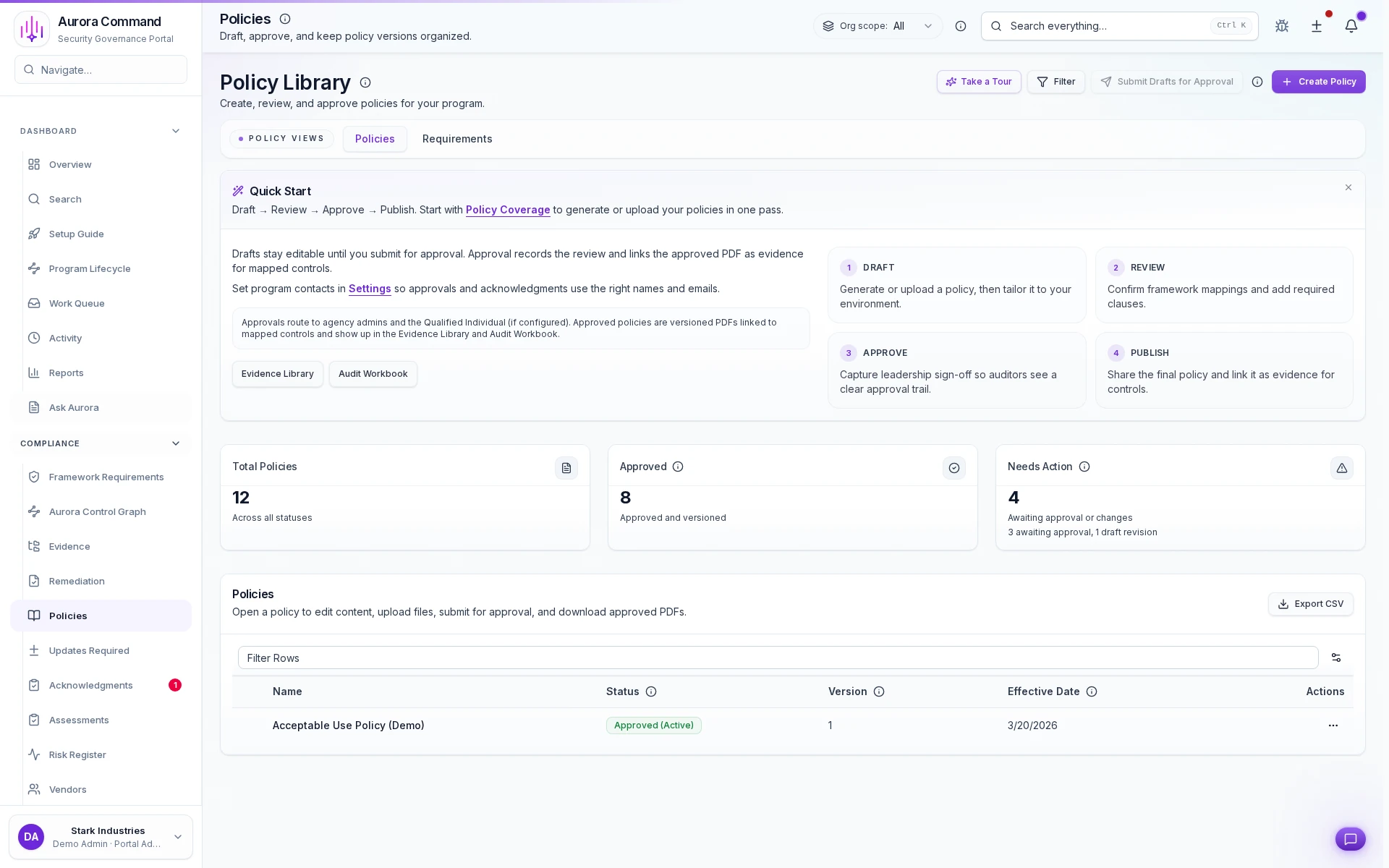
Aurora Command policy library with versioned policies, owners, and review status

Your policy program at a glance

1 of 3
1/3

What you can verify in this walkthrough

You are seeing the live workflow, the attached proof trail, and the control points that matter once reviewers ask follow-up questions.

Policy ownership stays visible

See who owns the policy, where it sits in review, and what still needs approval before it is ready to share.

Version history stays attached

Approval records, change history, and supporting evidence stay connected to the policy record instead of getting scattered across files.

Review-ready governance is already structured

The same workflow that governs day-to-day policy management also produces the ownership, status, and approval proof auditors and security teams ask for.

Why review teams start here

Governance is usually the first layer buyers and auditors test. When ownership, approvals, and version history stay visible in one record, every later evidence request gets easier.

Tell us about one policy set or approval workflow

In the live walkthrough, we trace your approval path, show where version history stays attached, and open the governed handoff Aurora produces.

Policy ownershipApproval historyGoverned handoff

Why governance matters early

3 frameworks, 1 control map

Policy governance stops turning every review into a separate document chase.

Mapping once and reusing evidence is the only way we keep up with demand.

GRC manager, cloud marketplace

See your governance workflow with your own policies

Tell us about one policy set or approval workflow. We will show the approval path, the attached history, and the governed handoff Aurora produces.

Where This Fits

See how this walkthrough connects to broader workflows