Monitor Device Coverage and Collector Health in One View
See how device posture, agent status, and policy coverage gaps are tracked before export.
What you'll see
See the exact workflow, the proof that stays attached, and the control points that keep reviews from turning back into document chasing.
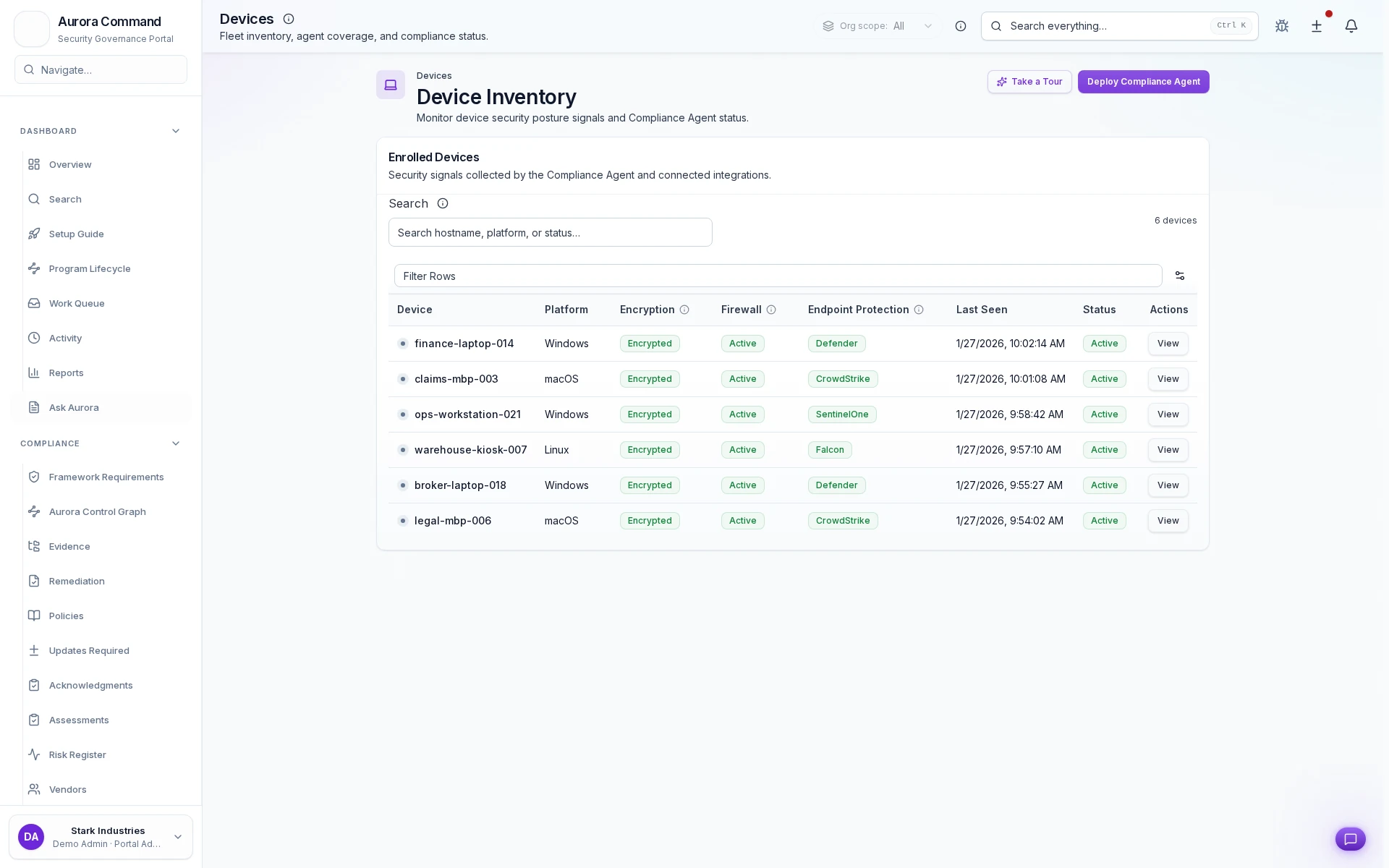
See Which Devices Are Covered
What you can verify in this walkthrough
You are seeing the live workflow, the attached proof trail, and the control points that matter once reviewers ask follow-up questions.
Rollout status is verifiable
Device deployment progress is tracked per cohort so coverage claims are backed by actual installation data.
Data quality gates catch gaps
Collection health checks flag devices that are enrolled but not reporting so coverage numbers stay honest.
Telemetry health stays visible
Continuous health monitoring surfaces degraded collection before it becomes a gap in audit evidence.
Why this workflow matters
This workflow keeps the proof, ownership, and status context attached to the work itself, so teams do not rebuild evidence packages from scratch for each review cycle.
Tell us about the review, renewal, or framework rollout in front of you
In the live walkthrough, we map the workflow to your environment, show what stays current between review cycles, and open the governed handoff Aurora produces.
What Most Teams Open Next
Most teams follow this walkthrough with the next proof flow they need to tighten, whether that is evidence collection, reviewer sharing, or readiness follow-through.
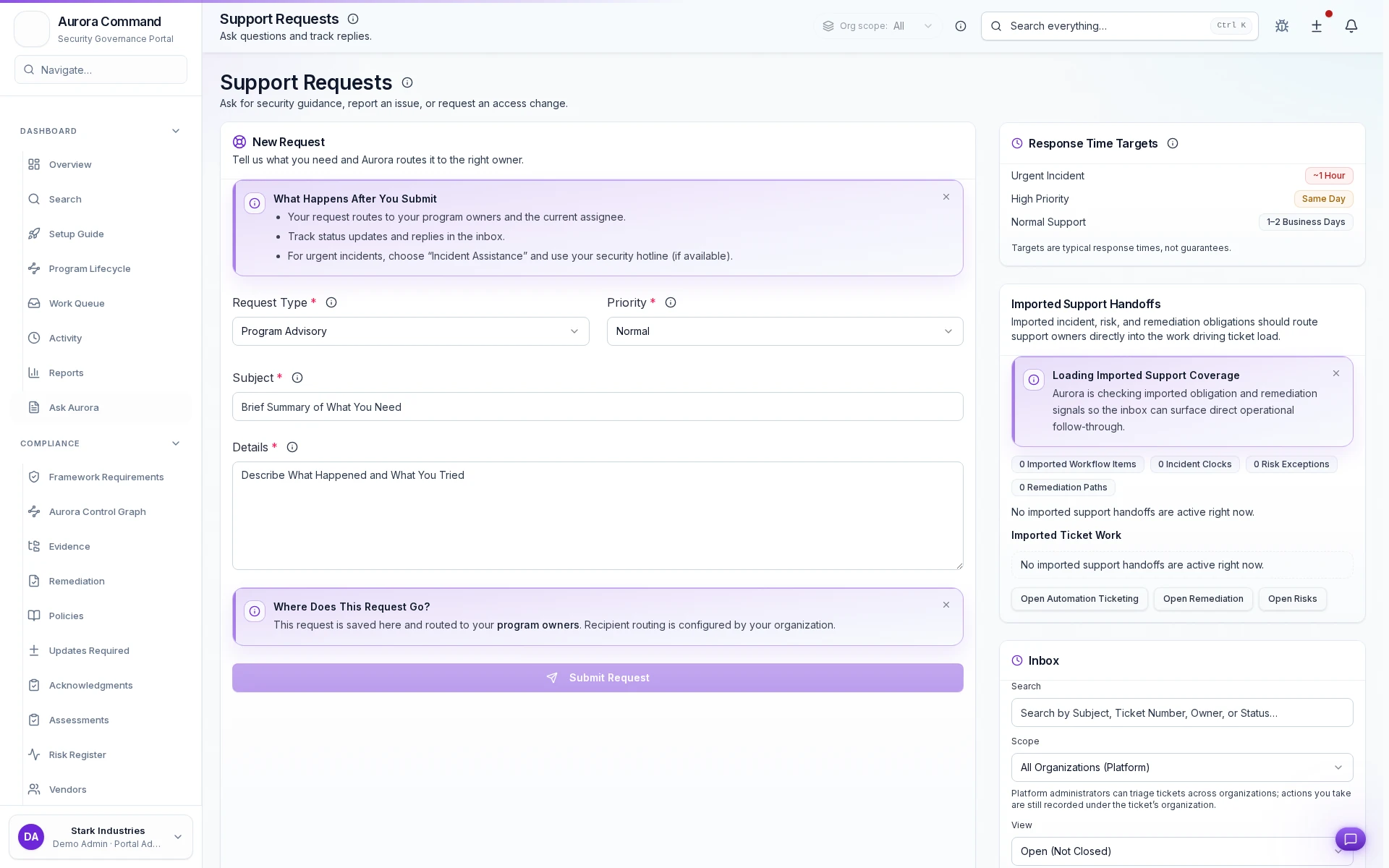
Support Requests
See how requests are triaged, assigned, and resolved with a defensible ownership trail.
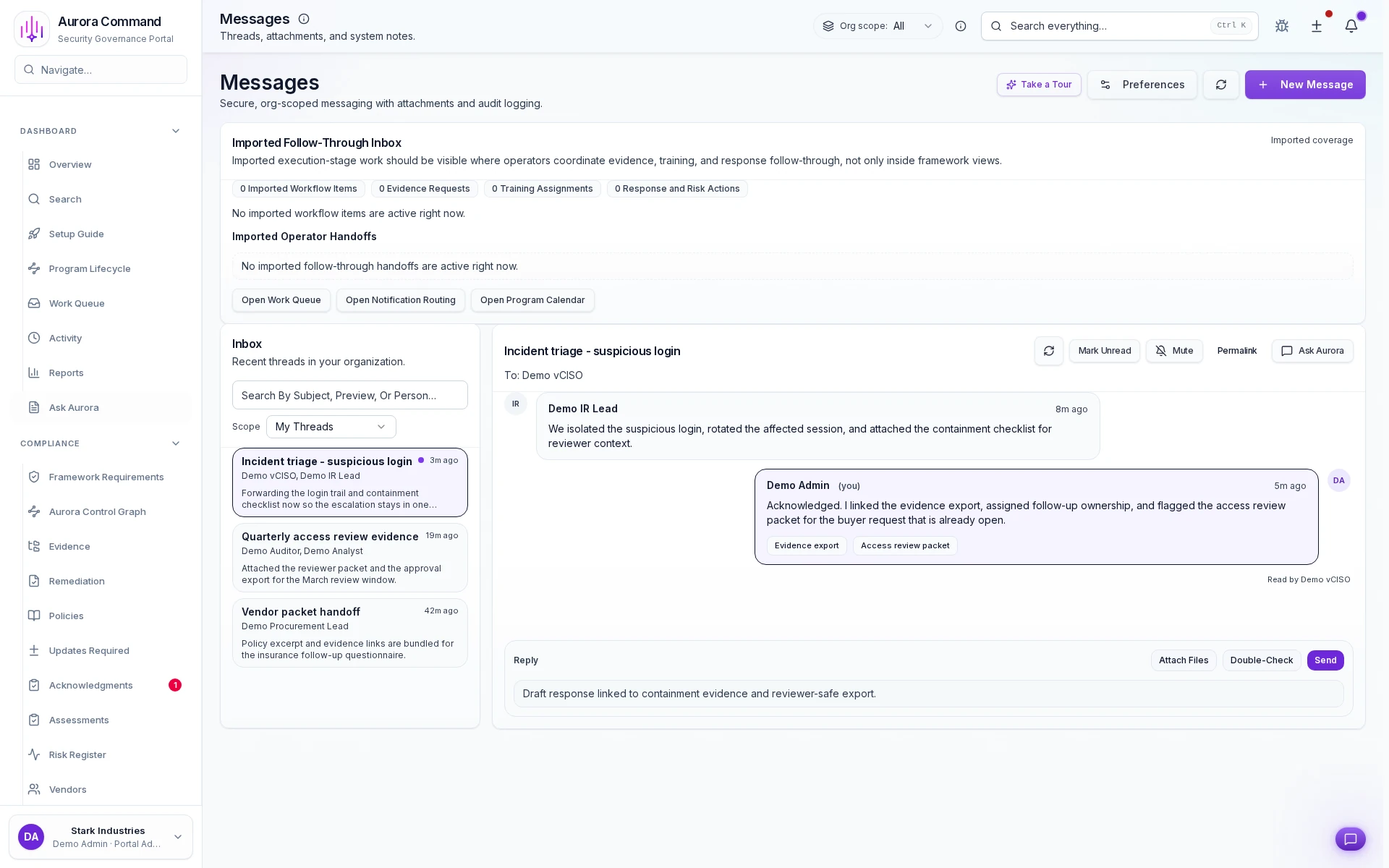
Messaging Operations
See how high-accountability communications are launched, acknowledged, and documented from one timeline.
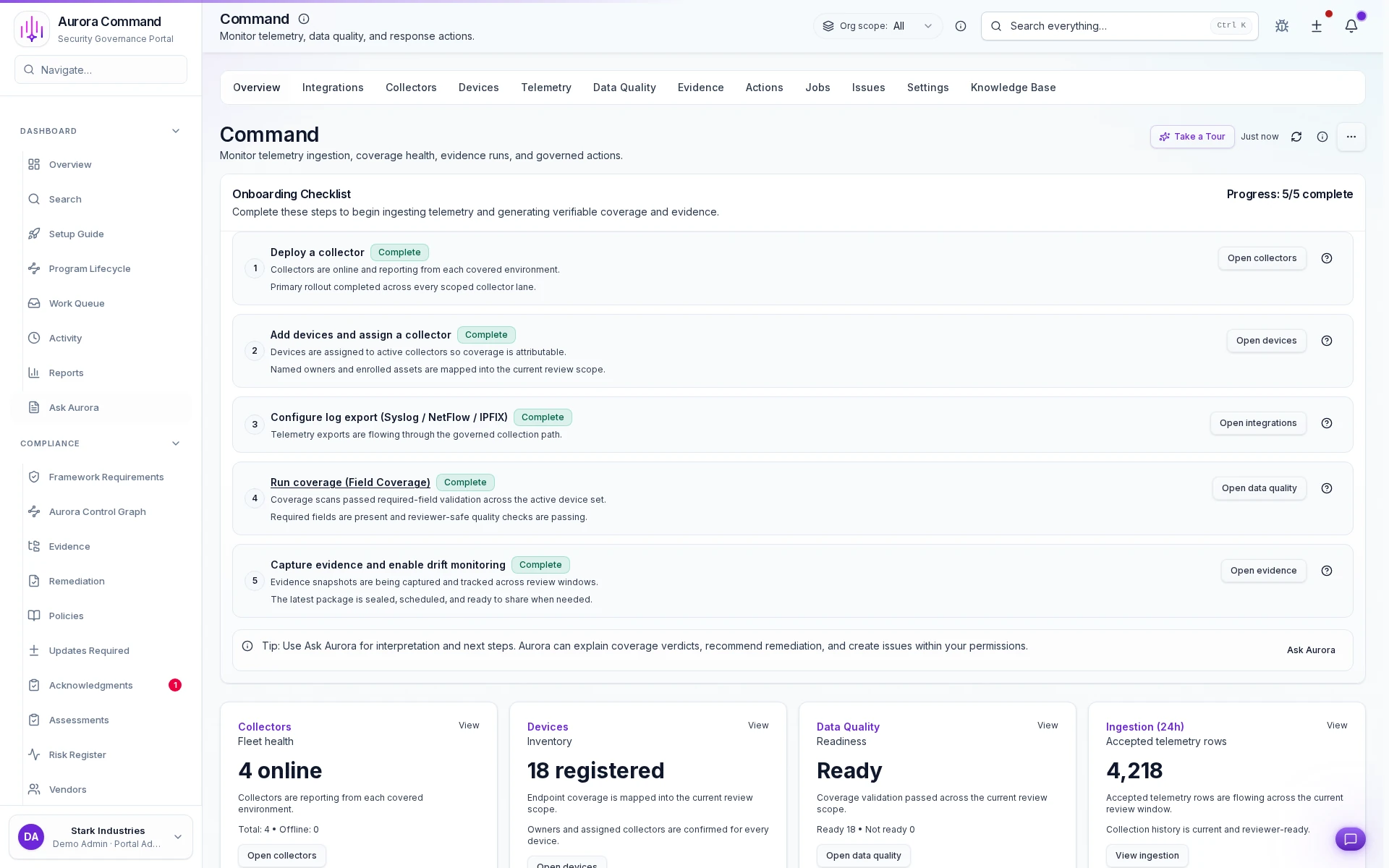
Command Center
See how Aurora monitors device coverage, collector health, and incoming telemetry from one command view.