Skip to content
Interactive walkthrough

Monitor Device Coverage and Collector Health in One View

See how Aurora monitors device coverage, collector health, and incoming telemetry from one command view.
3 steps · ~1 minGuided walkthrough

What you'll see

See the exact workflow, the proof that stays attached, and the control points that keep reviews from turning back into document chasing.

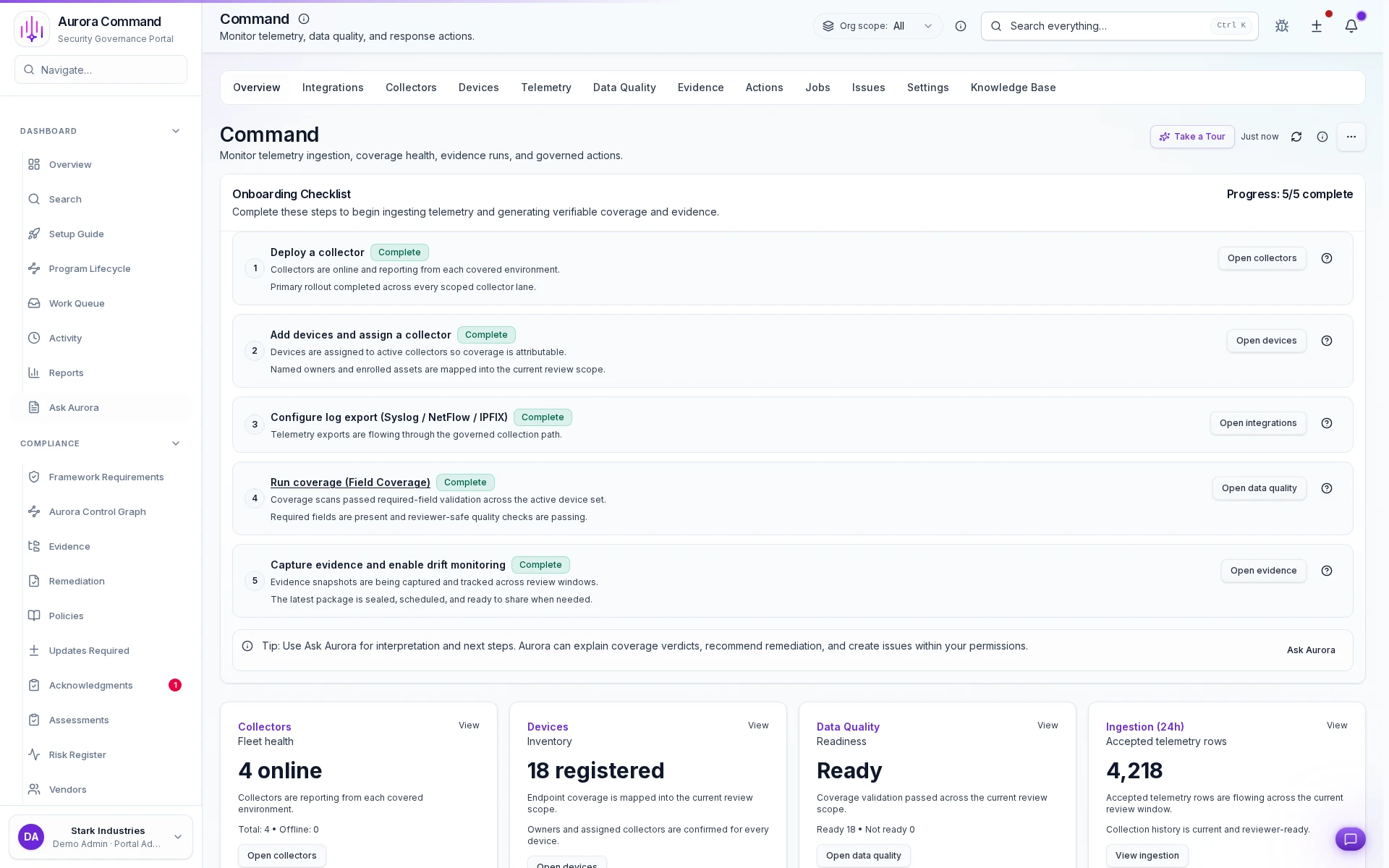
Aurora Command overview with device telemetry and collector status

Know exactly where your agents are deployed

1 of 3
1/3

What you can verify in this walkthrough

You are seeing the live workflow, the attached proof trail, and the control points that matter once reviewers ask follow-up questions.

Rollout status is verifiable

Device deployment progress is tracked per cohort so coverage claims are backed by actual installation data.

Data quality gates catch gaps

Collection health checks flag devices that are enrolled but not reporting so coverage numbers stay honest.

Telemetry health stays visible

Continuous health monitoring surfaces degraded collection before it becomes a gap in audit evidence.

Why this workflow matters

Device coverage claims fail without proof. When rollout status, collection health, and coverage data are verified in one view, reviewer confidence is earned.

Tell us about your device coverage goals

In the live walkthrough, we show rollout tracking, data quality gates, and how telemetry health stays visible.

Rollout trackingData qualityTelemetry health

Close Device Coverage Gaps Before Export Day

Rollout status, device coverage, and readiness gates that block incomplete exports from reaching reviewers.