Skip to content
Interactive walkthrough

Give Reviewers Scoped Access Without the Back-and-Forth

See how reviewers get scoped access to trust artifacts with tiered permissions and expiring links.
3 steps · ~1 minGuided walkthrough

What you'll see

See the exact workflow, the proof that stays attached, and the control points that keep reviews from turning back into document chasing.

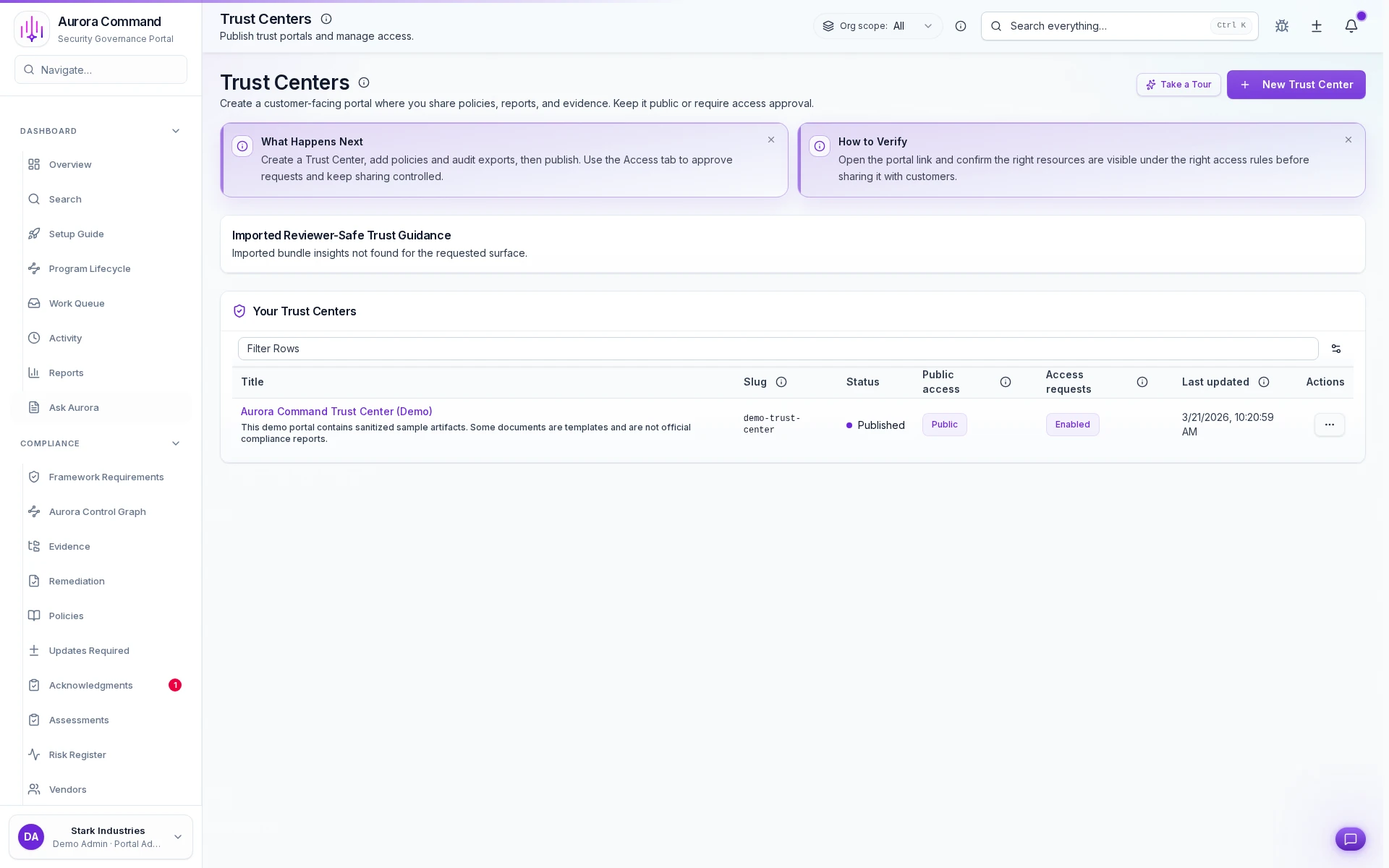
Aurora Command trust centers list showing portals, access tiers, and sharing readiness

Every portal, one console

1 of 3

What you can verify in this walkthrough

You are seeing the live workflow, the attached proof trail, and the control points that matter once reviewers ask follow-up questions.

Tiered access controls what gets shared

Different reviewer audiences see different document sets. Sensitive artifacts stay restricted without manual gatekeeping.

Engagement analytics show reach

View counts, download events, and access patterns show which documents reviewers actually consume.

Expiring links enforce boundaries

Shared links carry time limits and audit trails so trust artifacts do not circulate indefinitely.

Why this workflow matters

Sharing trust proactively shortens deal cycles. When tiered access, analytics, and audit trails live in one portal, reviewer confidence builds before the first call.

Tell us about one reviewer audience

In the live walkthrough, we set up tiered access, show analytics, and demonstrate expiring-link sharing.

Tiered accessEngagement analyticsSecure sharing

Give Reviewers Exactly What They Need, Nothing More

Tiered access, expiring links, and engagement analytics give reviewers exactly what they need, nothing more.

Where This Fits

See how this walkthrough connects to broader workflows