Skip to content
Interactive walkthrough

Track Risk Findings From Identification Through Remediation

See how risk findings are scored, linked to controls, and tracked through treatment to closure.
4 steps · ~1 minGuided walkthrough

What you'll see

See the exact workflow, the proof that stays attached, and the control points that keep reviews from turning back into document chasing.

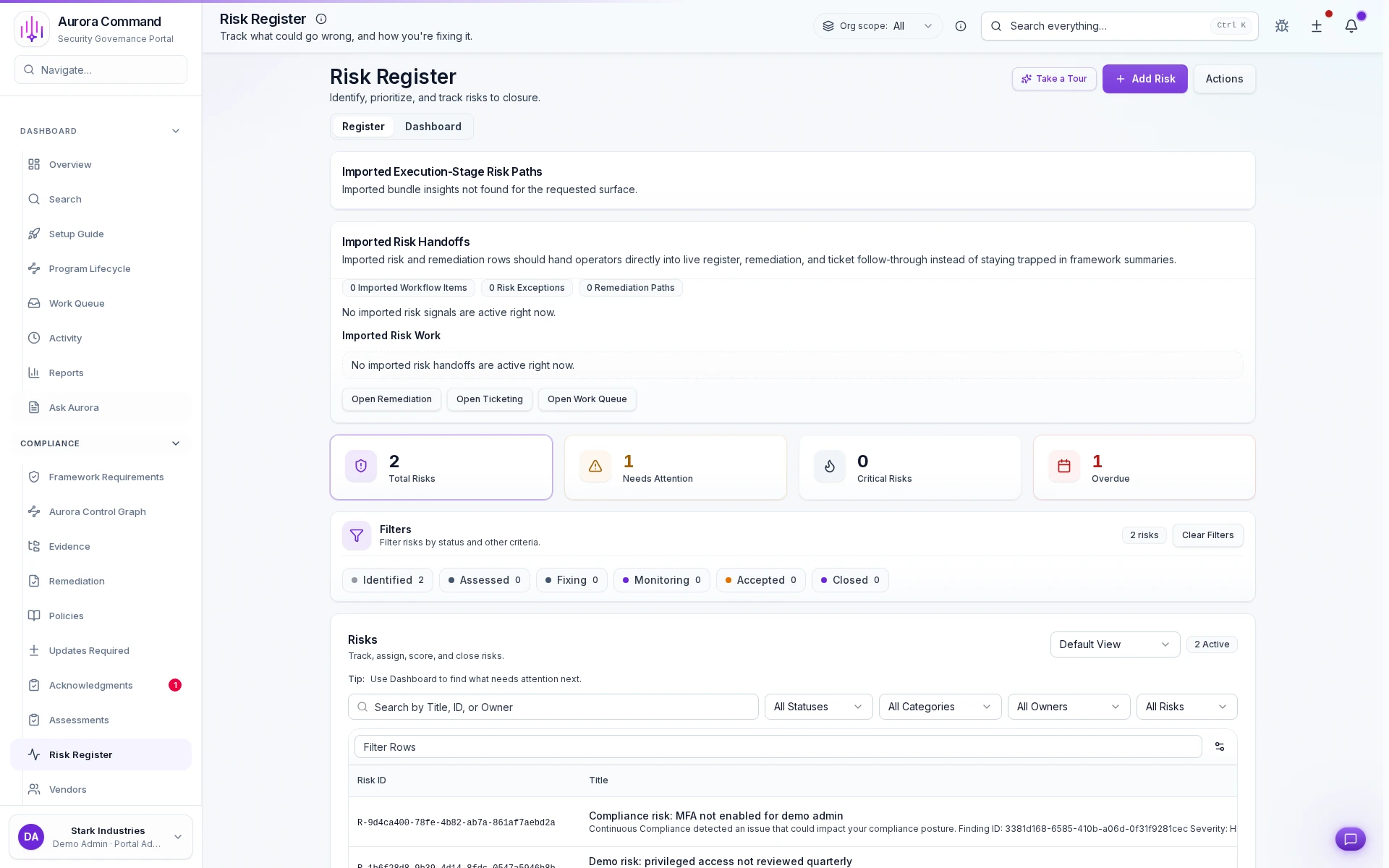
Aurora Command risk register showing risk scores, treatment plans, and linked controls

Every risk scored and owned

1 of 4
1/4

What you can verify in this walkthrough

You are seeing the live workflow, the attached proof trail, and the control points that matter once reviewers ask follow-up questions.

Consistent risk scoring

Every finding receives the same likelihood and impact evaluation so prioritization stays comparable across teams.

Treatment plans stay linked

Mitigation actions, owners, and timelines stay attached to the finding instead of living in a separate tracker.

Control linkage closes the loop

Risks connect to the controls that address them. Residual exposure is visible without cross-referencing spreadsheets.

Why this workflow matters

Risk registers that live in spreadsheets lose context between review cycles. When findings, treatment plans, and control links stay connected, prioritization becomes defensible.

Tell us about one open risk finding

In the live walkthrough, we show scoring, treatment planning, and how risk links to controls and evidence.

Risk scoringTreatment plansControl linkage

Make Every Risk Decision Explainable Under Audit

Risk scores, treatment rationale, and remediation trails that reviewers can trace end to end.

Where This Fits

See how this walkthrough connects to broader workflows

Risk Remediation
  1. Identify and score organizational risks
  2. Evaluate third-party risk
  3. Monitor control drift continuously