Skip to content
Interactive walkthrough

See Which Controls Are Monitored and Where Drift Is Building

See which controls are monitored automatically, which need manual refresh, and where drift is building.
4 steps · ~1 minGuided walkthrough

What you'll see

See the exact workflow, the proof that stays attached, and the control points that keep reviews from turning back into document chasing.

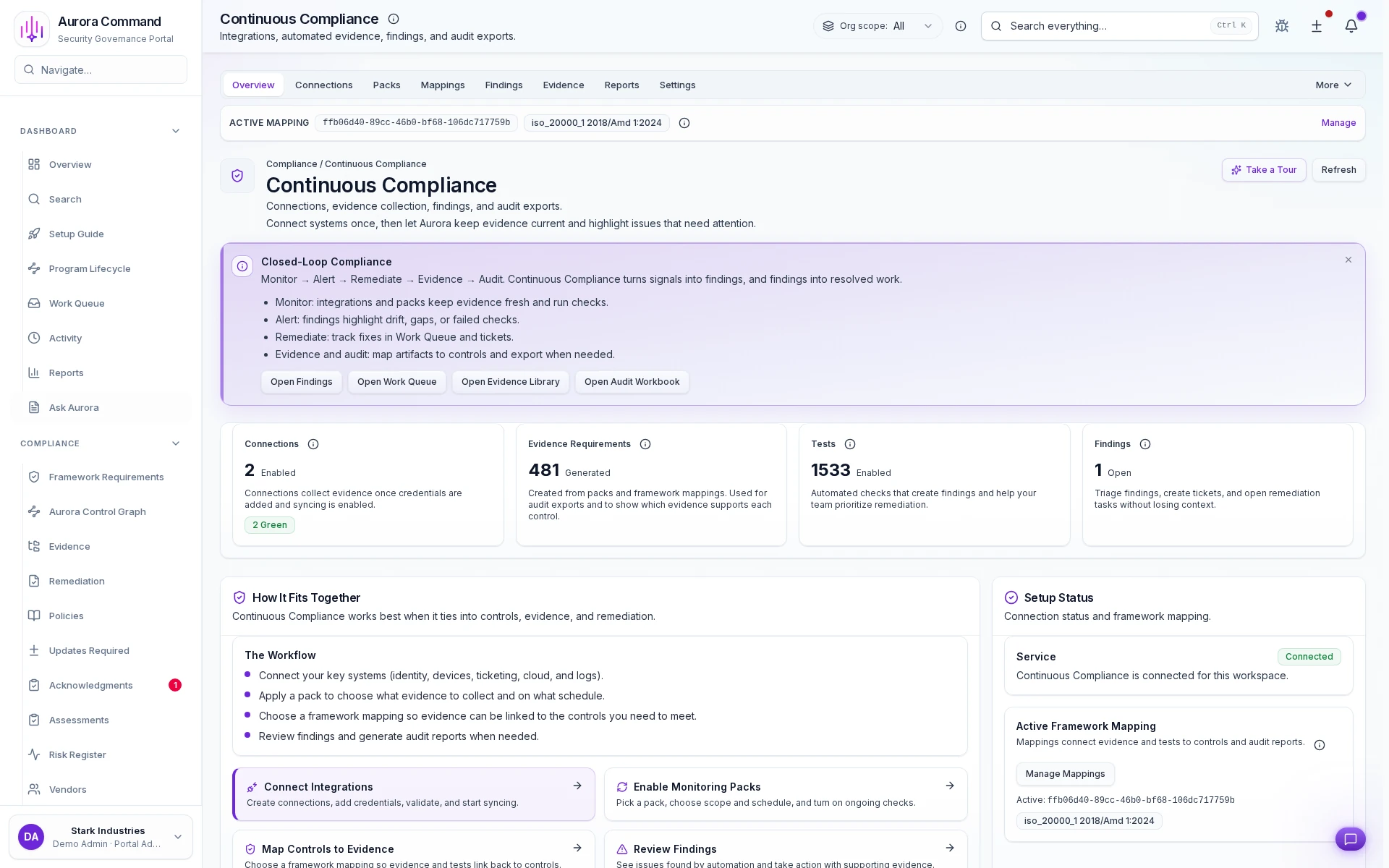
Aurora Command compliance automation with connection health and findings

Automated vs. manual - the honest view

1 of 4
1/4

What you can verify in this walkthrough

You are seeing the live workflow, the attached proof trail, and the control points that matter once reviewers ask follow-up questions.

Automated checks run continuously

Integration-driven checks evaluate control state on a schedule so drift is detected before reviewers arrive.

Manual checks have clear lanes

Controls that require human judgment get separate ownership, cadence, and evidence attachment workflows.

Findings route to closure

Failures create findings with owners and deadlines. Nothing stays unresolved without a visible accountable party.

Why this workflow matters

Manual compliance checking does not scale with framework count. When automated and manual checks are separated explicitly, rollout decisions become data-driven.

Tell us about one framework you are tracking

In the live walkthrough, we show automation coverage, manual fallback lanes, and how findings route to closure.

Automation coverageManual fallbackFindings triage

Know What's Automated Before Promising Coverage

Automated checks, manual fallback zones, and finding-to-closure trails that stay current between reviews.

Where This Fits

See how this walkthrough connects to broader workflows

Risk Remediation
  1. Identify and score organizational risks
  2. Evaluate third-party risk
  3. Monitor control drift continuously